If you're comparing the VSeeBox V6 Max and the VSeeBox V6 Plus, you're not alone. This is one of the most common questions we receive from customers looking for a premium Android TV box.
The good news is that both models deliver an outstanding streaming experience, offering fast performance, Android 14, and support for stunning 8K Ultra HD playback. However, each model has its own strengths depending on how you plan to use it.
Here's a closer look at the differences.
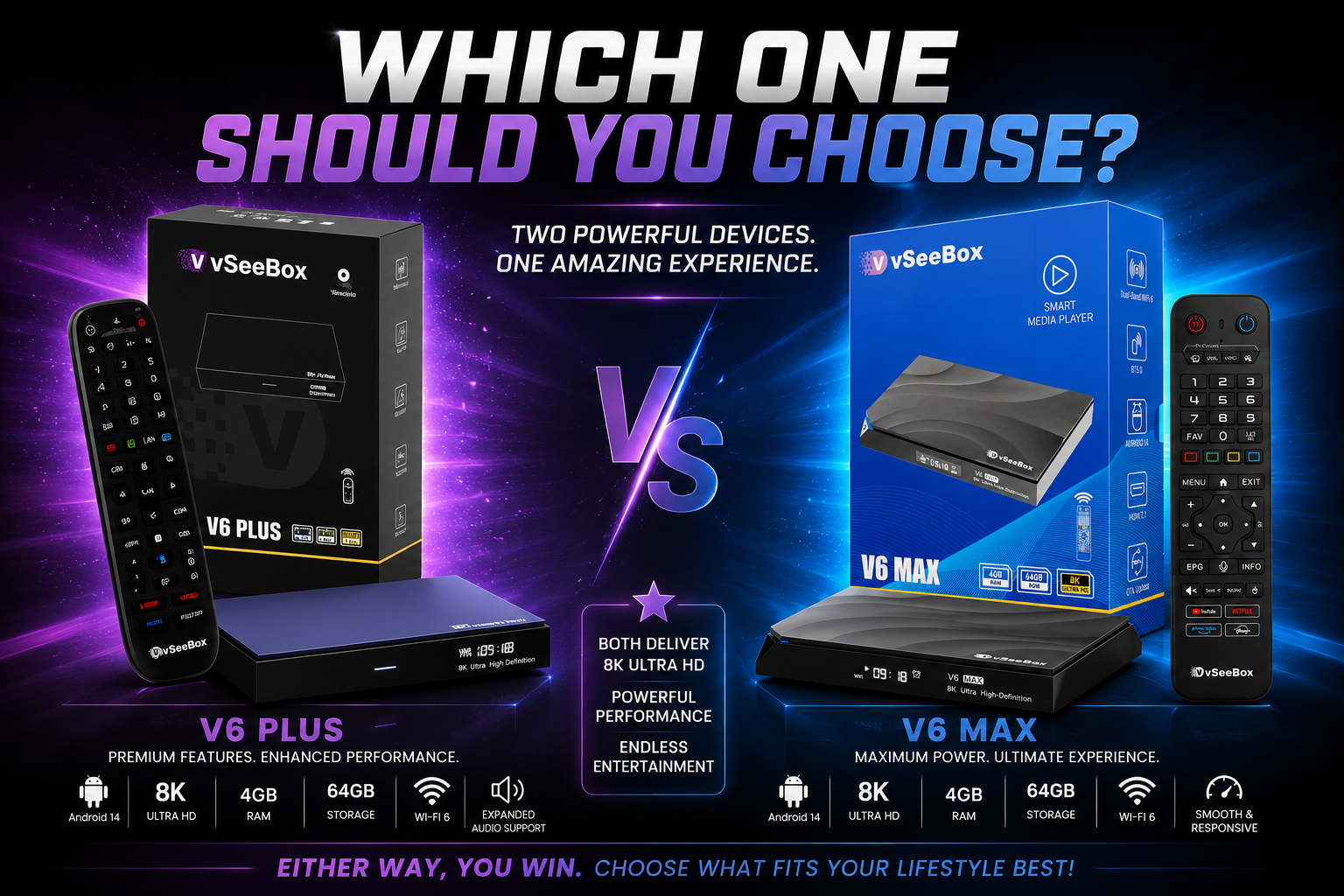
VSeeBox V6 Max at a Glance
The VSeeBox V6 Max features:
Android 14 Operating System
8K Ultra HD Video Support
Wi-Fi 6 & Bluetooth 5.0
4GB RAM
64GB Internal Storage
HDMI Output
HDR Video Support
Fast, smooth navigation
Excellent everyday streaming performance
The V6 Max is designed for customers who want a reliable, high-performance streaming box with everything needed for an excellent entertainment experience.
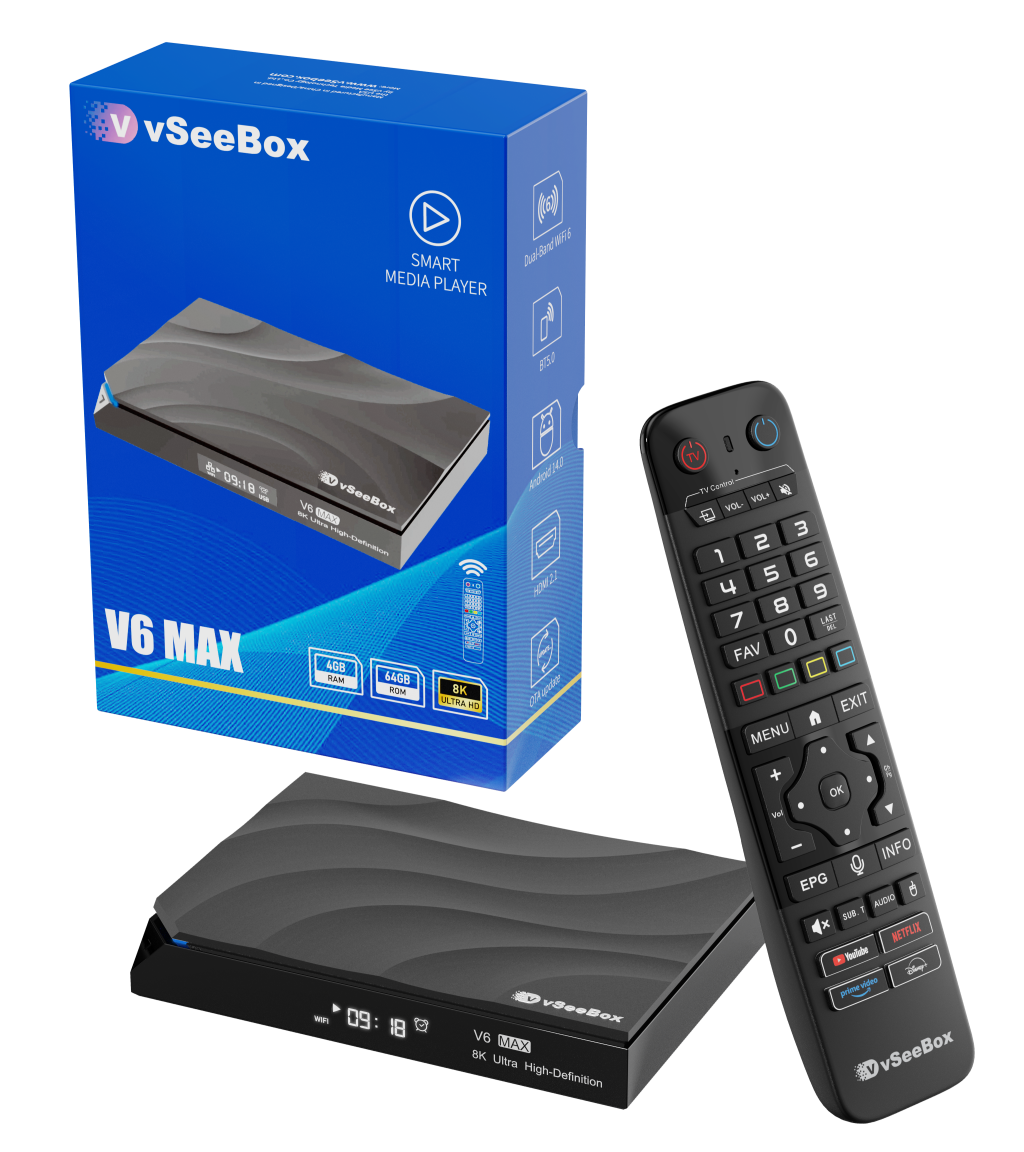
VSeeBox V6 Plus at a Glance
The VSeeBox V6 Plus includes:
Android 14 Operating System
8K Ultra HD Video Support
Wi-Fi 6 & Bluetooth 5.0
4GB RAM
64GB Internal Storage
HDMI Output
Expanded audio codec support
Additional screen mirroring compatibility
Premium multimedia features
The V6 Plus builds upon the V6 Max by offering enhanced support for users who enjoy playing local media files or have a more advanced home entertainment setup.
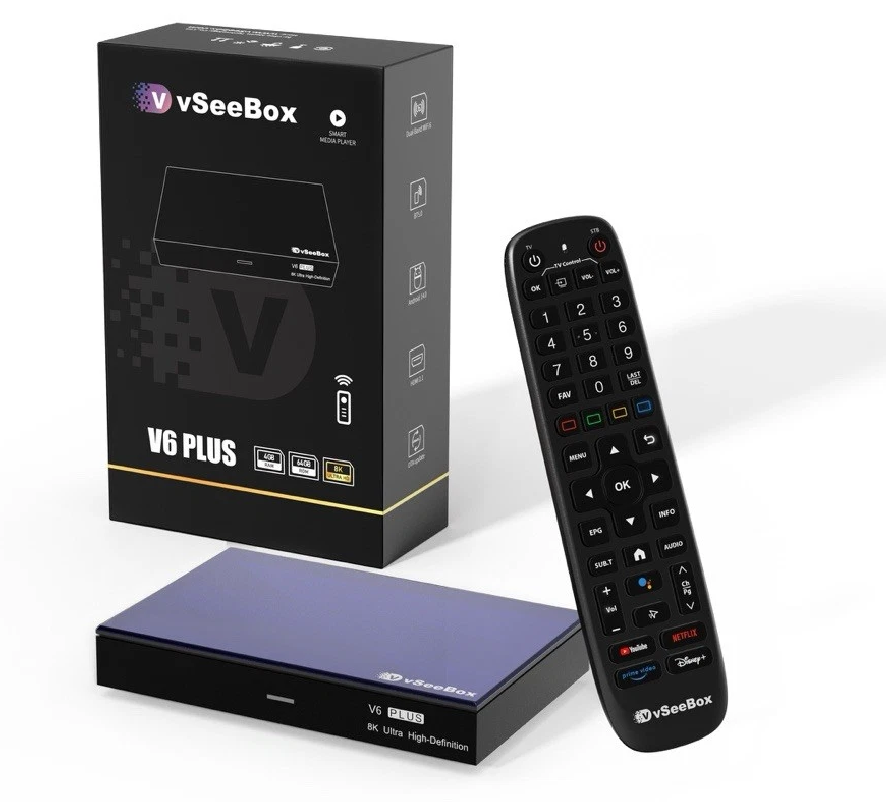
Performance
When it comes to everyday use, both models are very fast and responsive.
Whether you're streaming live TV, watching movies, browsing apps, or switching between applications, both the V6 Max and V6 Plus provide smooth performance thanks to Android 14 and modern hardware.
For the average user, the overall speed difference is minimal.
Video Quality
Both models support:
8K Ultra HD
HDR Video
H.265
AV1
VP9
H.264
No matter which model you choose, you'll enjoy crisp picture quality and excellent video playback on compatible televisions.
Audio Support
This is where the V6 Plus has an advantage.
The V6 Plus supports additional high-quality audio formats that may benefit users with surround sound systems or advanced home theater equipment.
If you're simply connecting your VSeeBox directly to your TV, the V6 Max will provide an excellent audio experience as well.
Screen Mirroring
Both models allow you to mirror content from compatible devices.
The V6 Plus offers broader compatibility for users who frequently cast content from Android devices, making it the better choice if screen mirroring is an important feature for you.
Which One Should You Choose?
Choose the VSeeBox V6 Max if:
You want an excellent everyday streaming experience.
You primarily stream movies, TV shows, and live television.
You want premium performance at a great value.
You don't need advanced audio features.
Choose the VSeeBox V6 Plus if:
You have a home theater or surround sound system.
You play a large collection of local media files.
You want expanded audio codec support.
You frequently use screen mirroring from your mobile devices.
Our Recommendation
At GO Venture Co., we've worked with countless customers to help them choose the right VSeeBox for their needs.
For most users, the VSeeBox V6 Max delivers everything needed for an outstanding streaming experience with excellent speed, picture quality, and reliability.
If you're looking for a few additional multimedia features—especially enhanced audio support and expanded casting capabilities—the VSeeBox V6 Plus is worth considering.
No matter which model you choose, both offer excellent performance and are built to provide years of dependable entertainment.